




Desktop Command Center
Magnetic Modules | Custom System | effortlessly control your PC, apps, games, and smart home devices from a user-friendly interface.

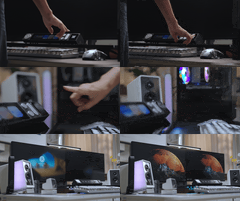
The five main components of Desktop Command Center—CoreBar, VivoCube, DotKey, SenseCube, and KnobKey—are made to snap together magnetically. Snap Modules Assemble Like LEGO in Just a Few Seconds. Magnetic modules allow you to reconfigure your entire desktop in about 0.3 seconds.

The entire system features a 45° ergonomic tilt, designed to keep your neck safe and eliminate “tech neck”

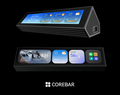
CoreBar — The Central, Control Everything

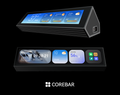
The entire ecosystem is powered and connected by CoreBar, which gives your workspace intelligence. It keeps your setup tidy, intelligent, and productive by reducing desktop clutter by 60% with its elegant 5:1 ultra-wide display.
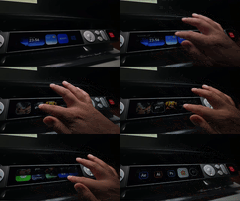
UserFriendly, touch control, and dynamic UI customization.

CoreBar redefines desktop control with an user-friendly interface and a minimalist design that adapts to every scenario — intuitive, responsive, and made for creators.
Endless themes. Infinite styles
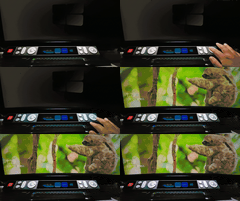
Transform your workspace with personalized wallpapers that reflect your unique taste.

VivoCube — Dynamic Control, A Mini CoreBar in Your Hands


With its high-end mechanical switches and customizable 2.0-inch AMOLED touch screen, this module offers a multifaceted control experience using both tactile feedback and simple gestures. It can be used as a standalone micro controller or a supplementary screen with ease thanks to its independent power supply, which supports connections of up to three modules in a small, all-in-one design.
SenseCube — When Your Desk Becomes Sentient


SenseCube is the environmental sensing core of the Desktop Command Center ecosystem.
It doesn’t just respond — it perceives.

SenseCube provides your desk with vision, touch, and temperature awareness with millimeter-wave radar, light, temperature, humidity, and vibration sensors, allowing for genuinely proactive and intelligent engagement.
DotKey — Mechanical Precision at Your Fingertips

With each press, DotKey's Cherry MX mechanical switches provide accurate feedback. It smoothly integrates the pure thrill of mechanical accuracy into your command panel after being simplified and reduced to its most basic components.


KnobKey — Spin to Master, Unlimited Control

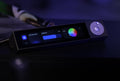
The rotary dial clicks crisply with each turn, like handling a precision instrument. Every subtle adjustment feels deliberate, precise, and full of ritual.


Desktop Command Center turns CoreBar into the intelligent center of your digital world, driven by our specially designed LineOSTM. CoreBar creates four high-efficiency protocol bridges—USB/HID, Bluetooth Mesh, IP Network, and QuantumLink—through its multimodal communication capability, allowing smooth, accurate connection with each connected device.

Native PC Control – via USB & HID Protocols
USB-C plug & play — no drivers needed. Perfectly compatible with Windows, macOS, and Linux!

Instantly monitor your PC’s hardware status—CPU, memory load, and more—so you can feel every breath of your system.

With a single click, turn on the SceneShift AI engine, enabling your desktop to genuinely think and adjust to your needs.
With CoreBar's highly configurable macros and shortcuts, such as a Stream Deck, you may transform it into a flexible desktop command center that will boost your productivity.
Wireless Control, Desktop Ecosystem — via Bluetooth Mesh
CoreBar uses a high-efficiency Bluetooth Mesh network to wirelessly manage all your desktop devices.
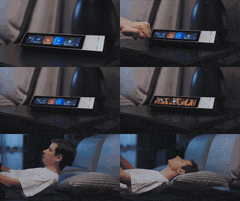
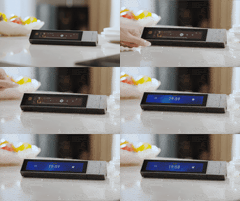
Wake your sleeping PC wirelessly with a simple tap on the screen.

Syncs with your monitor lamp and automatically adapts to ambient lighting.

Smart Expansion, Connected Spaces– Desktop Command Center goes beyond your desktop.
Through IP networking, it seamlessly integrates with the most popular smart ecosystems in your home.


Integrate with platforms like Home Assistant, becoming a powerful command center for your smart home.

Infinite Evolution, Modular Ecosystem — QuantumLink magnetic protocol
Powered by our QuantumLink magnetic protocol, makes expanding your desktop setup effortless.

Programmable buttons and drawing knobs are examples of snap-on modules that connect instantaneously and are recognized by the system automatically. Your command center is always expanding and changing to accommodate your operations.
Additionally, CoreBar is a scalable platform that can be expanded through an integrated software store that supports over 90 main platforms, continuously increasing the functionality of your desktop. Plug and play for easier, more effective operation with over 300 industry-ready templates that include iconography, animations, and interaction logic.


Desktop Command Center lets you build macros on phone or PC—iOS, Android, or Windows, your control logic is always a tap away. macOS config is already in the lab and joining the ecosystem soon.
- Phone

- PC

Edit anywhere, deploy instantly—your desktop command center is no longer tied to a single machine.

Developers can simply construct their own plugins and extension modules with Desktop Command Center's SDK. Enroll in the developer program to enhance your desktop control experience, unleash your creativity, and tailor features to your needs.

Tell us what integration you require next; we're all listening. Additionally, you may develop your own features and plug-ins using the open SDK, so the desktop finally follows your standards.
With the addition of new scenes, plugins, and themes on a regular basis, Desktop Command Center will continue to develop alongside our official Nexus Store.


Mix and match modules your way — available in Green, Gold, or Black. Color selections will be collected via a survey after the campaign ends.

ABS+PC shell, N52 magnetic core, HD display — crafted for strength, precision, and seamless control.

How to connect the module?
Desktop Command Center supports both Type-C and DC adapter power input, and can connect up to 15 modules simultaneously.


